Speak, listen, explain a picture, prepare a scene for your Mac or make an image fit your screen. Start with the one thing you came for.
Preview status · 20 September 2026
Mac Preview 4 is a signed and notarized public download. iOS 2.1.0 (3) is available for internal maintainer testing through TestFlight and includes the native editing and cleanup Undo fixes. Mac, iPhone and iPad CI passed. Fresh physical dictation and paired editable-scene transfer remain unverified. There is no public iPhone download or App Store approval yet. Release checks and remaining steps · Scene and photo evidence.
ACTUAL NATIVE PREVIEW
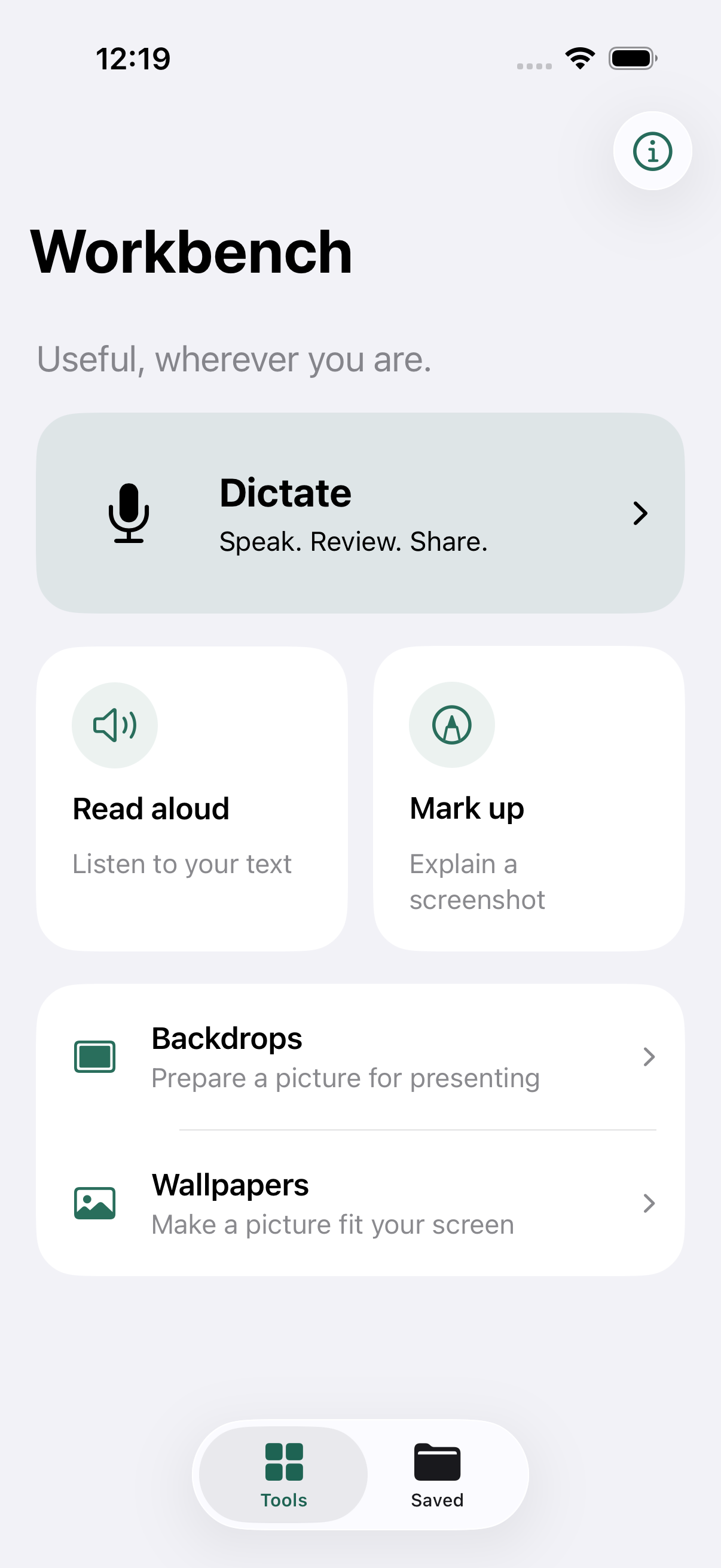
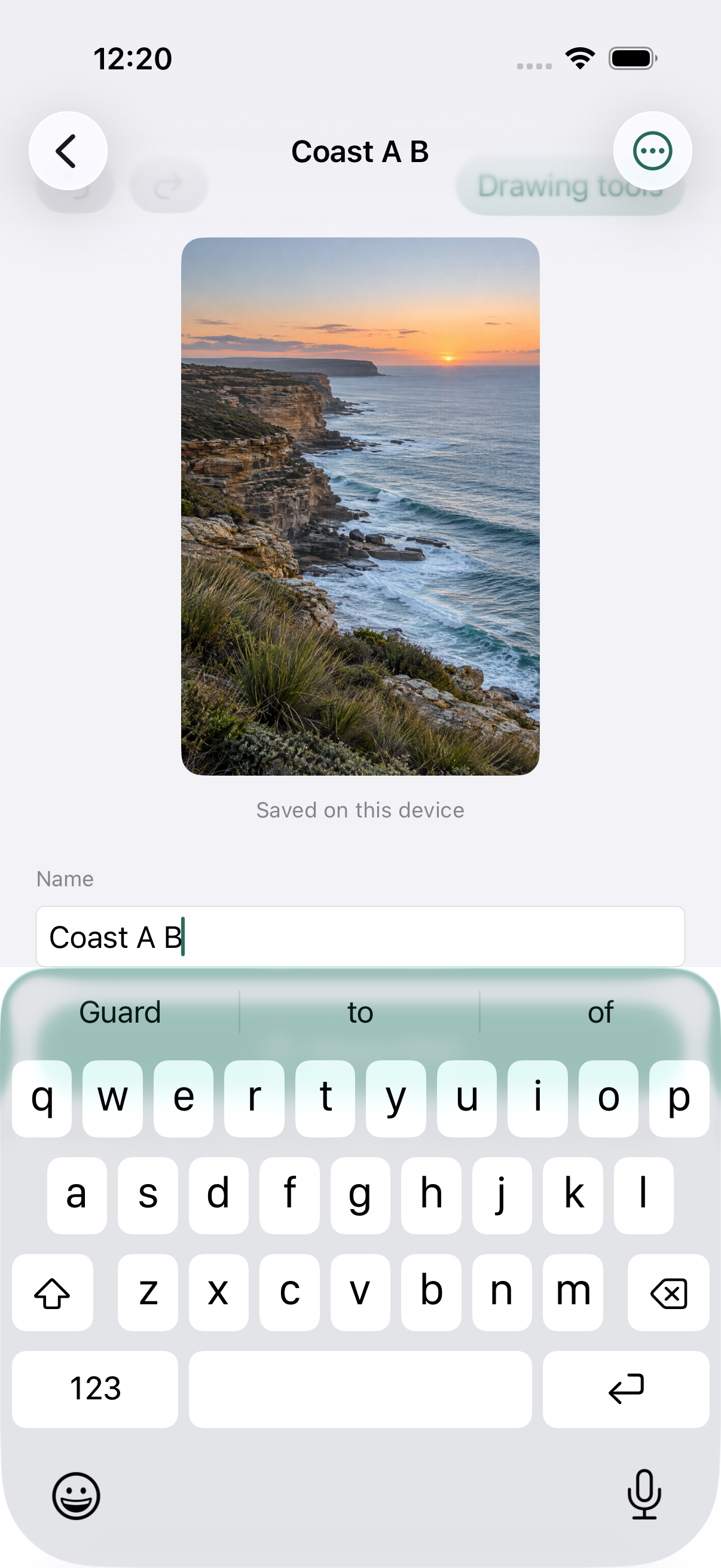
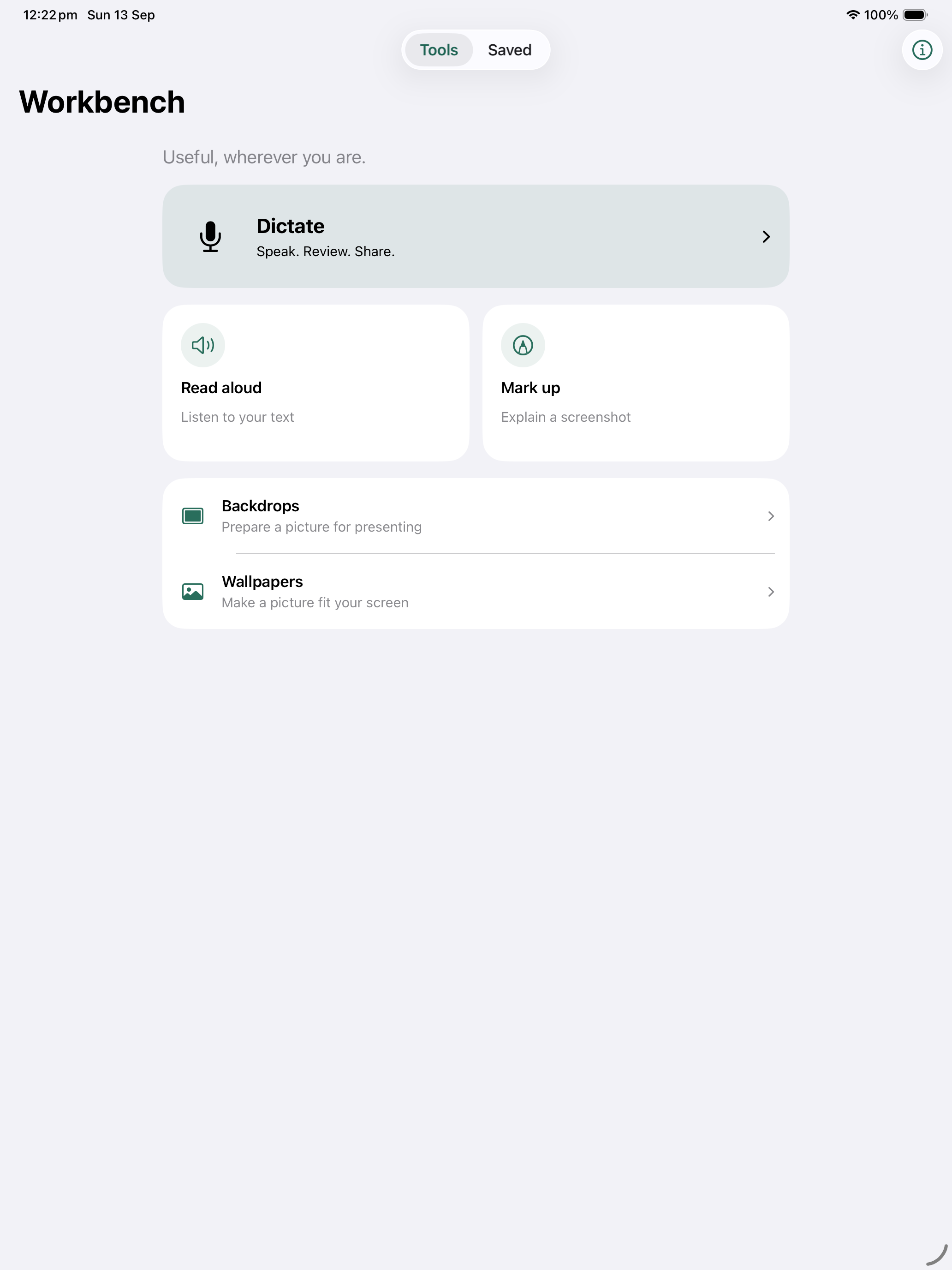
From the running app.
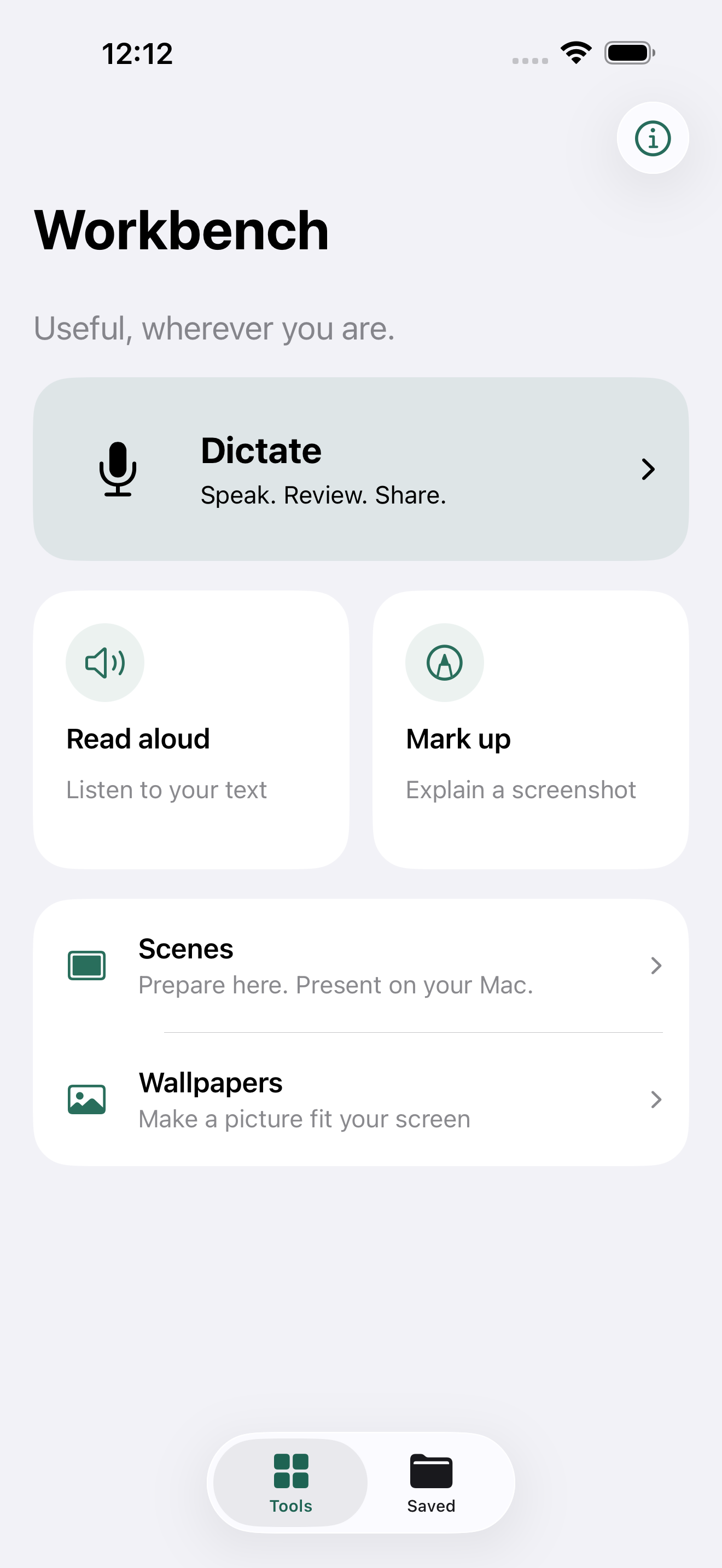
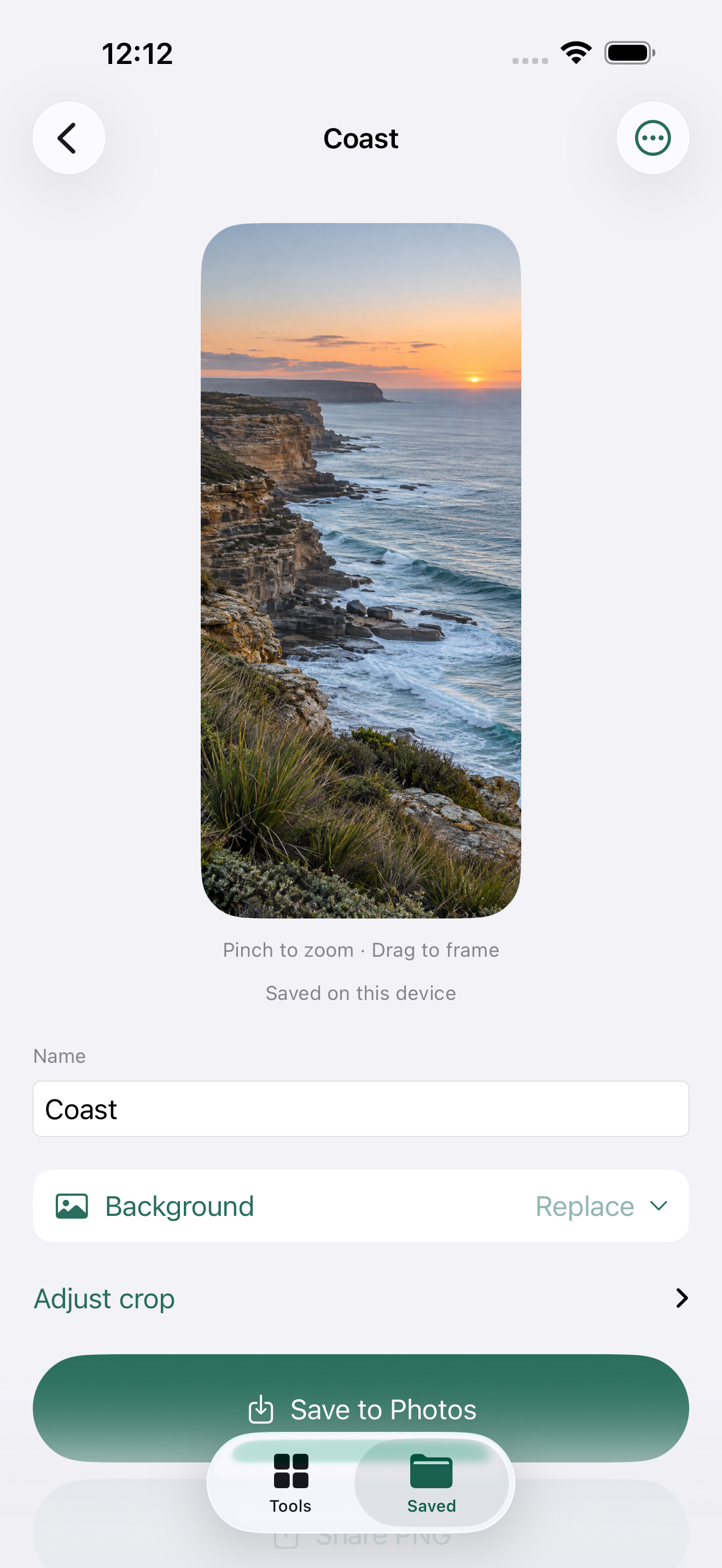
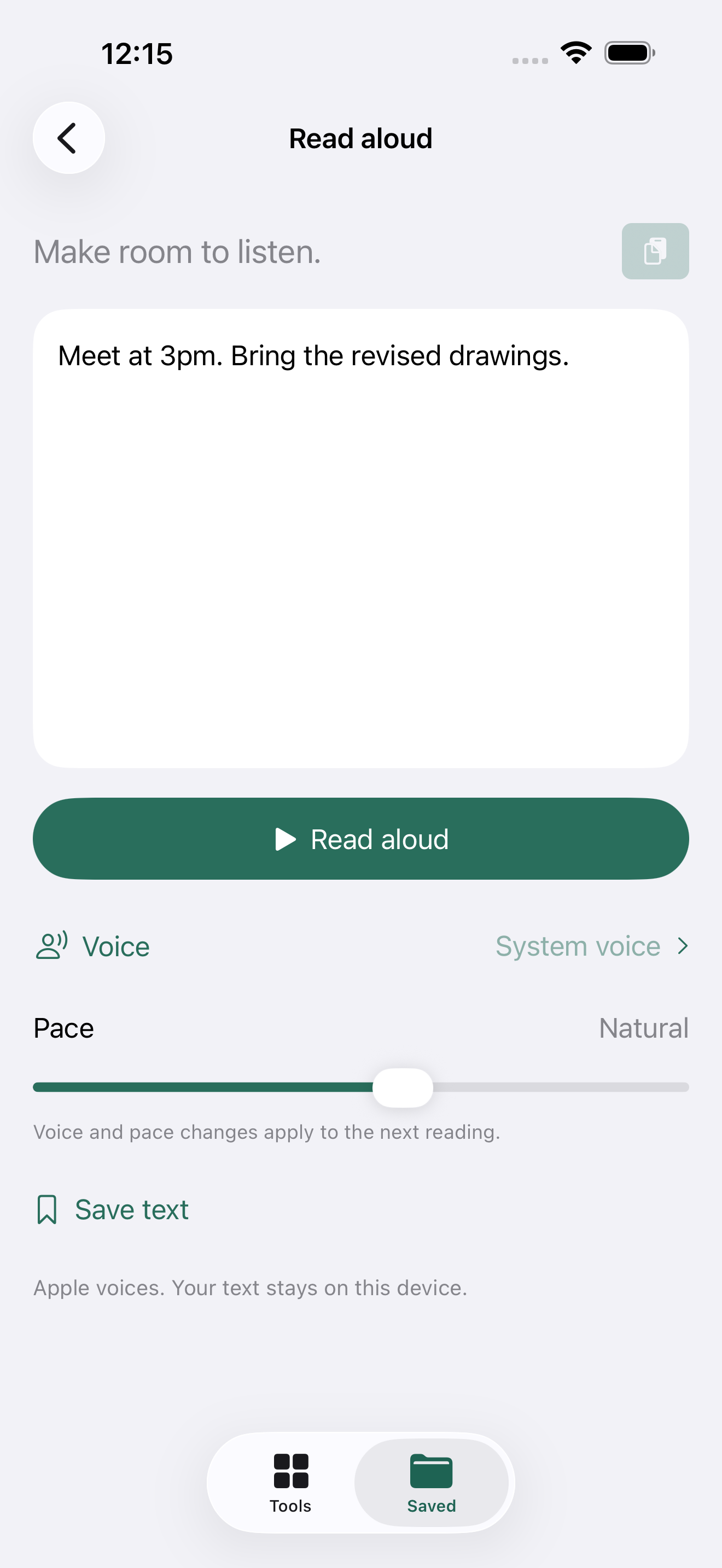
Start with one useful job. Scenes prepares a later Mac presentation; Wallpapers keeps a separate image for your device. Tools and Saved are the two native tabs.A picture that fits. A saved portrait crop and direct Save to Photos. Apple’s Wallpaper picker remains the final step.Hear your words. A saved draft opens directly in Read aloud. Playback quality and system audio routes still need physical-device testing.
Unedited release-review captures from iPhone 17 Pro Max Simulator at source 48bc7c0, using temporary libraries, synthetic content and cloud disabled. Capture provenance. Build 2 changes cleanup Undo; these three screens are unchanged. Generated concepts below are separate. Earlier evidence remains available: previous Tools · markup focus check · previous iPad home.
SMALL, COMPLETE JOBS
Useful alone. Better when they connect.
Dictate
Prepare Apple’s on-device speech assets, record or import audio, then review and share. The original recording and wording remain available. Cancel and interruptions retain a recovery slot.
Foreground capture · explicit Copy/Share · no custom keyboard
Read aloud
Paste or open saved text, choose an installed Apple voice and listen. Pause, resume and stop stay explicit. Read back a transcript when hearing it is easier than reading it.
Native voices · private Lock Screen title · no cloud provider
Mark up
Choose a screenshot or photo, draw with native finger or Pencil tools, then share a PNG. Keep editable ink separately from the original picture.
Native undo/redo · in-app canvas · no cross-app overlay
Scenes
Prepare a background, device layout and optional persona for a later Mac presentation. Save an editable scene locally, export a scene file or opt into personal sync. Earlier mobile compositions remain recoverable with their original layers and ink.
Optional Gentle motion previews a slow background zoom. Pause/Play is separate from the saved setting; crop editing stays still.
Choose your picture or a starting image, frame it for your device, then Save to Photos or Share a copy. The saved crop belongs to this wallpaper; a presentation keeps its own choices.
Pinch/drag and labelled crop controls · Apple owns installation
Saved
Search and reopen your work. Scenes have their own optional personal sync; texts, wallpapers and older image projects keep their local ownership. Photo handoff supplies selected pictures to use in a scene. Reuse an original deliberately; a shared export does not create an automatic edit link.
Local library · original preservation · no implicit sync
DESIGN EXPLORATION
The pictures helped expose the wrong ideas.
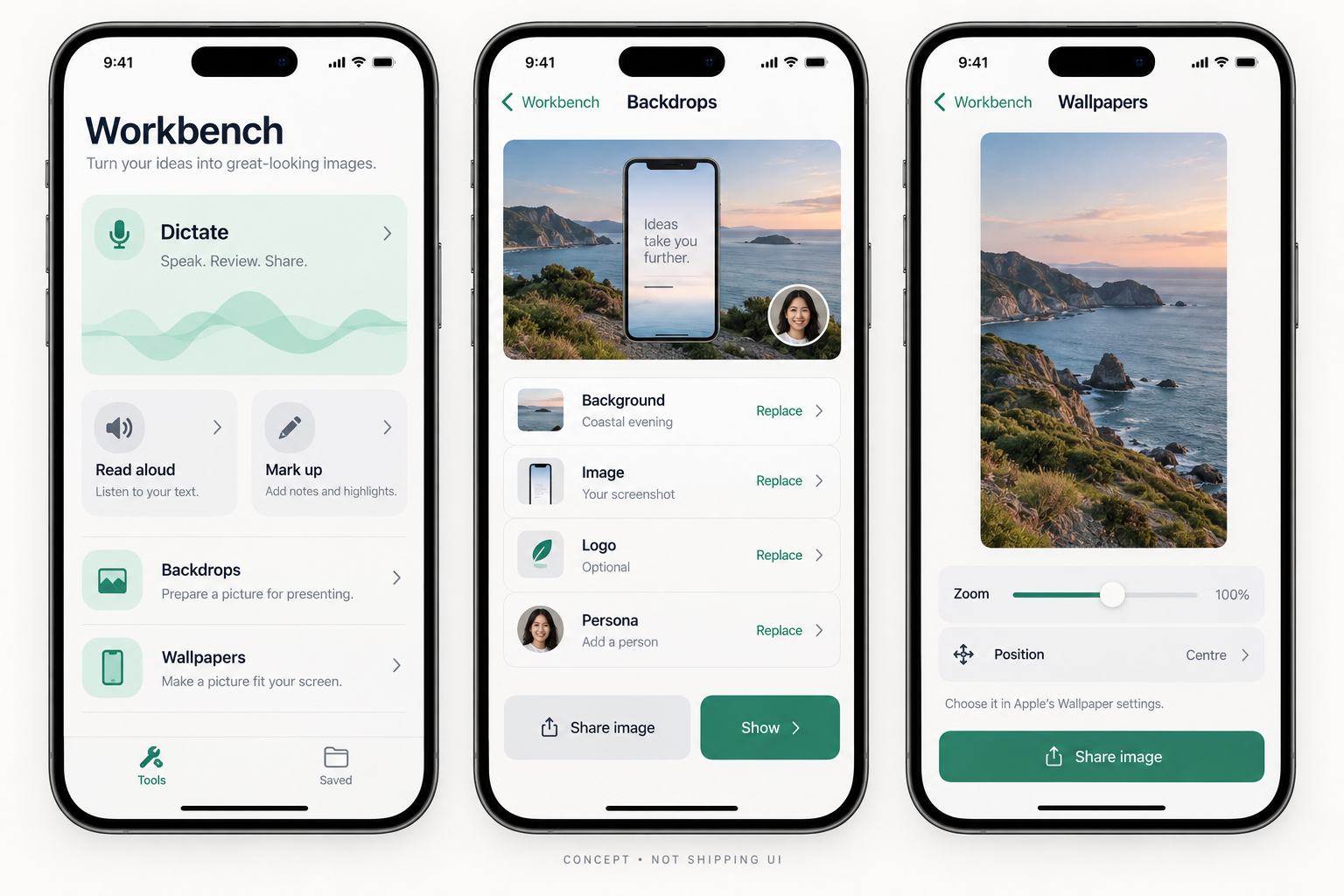
Concept, not a screenshot. We retained the separate jobs and labelled layers. We rejected the generated tagline about making images, the decorative hero treatment and implied automatic wallpaper setup. The app uses ordinary system controls.See the earlier experiment and critique
The first concept invented PDF markup and described Backdrops as a focus tool. Both muddied the product. The refinement separates presentation preparation from personal wallpaper; the implementation keeps the same original-preserving distinction.
Workbench owns an in-app draft. A custom keyboard cannot gain microphone access simply through Full Access.
Pictures and files
Photos picker, Files and the system share sheet.
Import only what the person chooses. Preserve originals; export a new image.
Drawing
PencilKit/Markup inside the app.
No floating drawing or persona layer over arbitrary iPhone/iPad apps.
Wallpaper
Apple owns Home/Lock choices, Photo Shuffle and supported motion.
Prepare an image, then choose it in Wallpaper settings. No promise of automatic installation or continuous video.
Presenting
Native meeting apps, AirPlay and supported external-display scenes.
Prepare saved Scenes for presentation on Mac. Earlier in-app compositions stay recoverable. AirPlay and meeting receivers are separate routes requiring real tests.
App surfaces
Native navigation, tabs, toolbars and share sheets.
Two top-level tabs. Focused editing hides the tab bar. No desktop menu bar transplanted onto a phone.
The research record links current Apple and competitor documentation, dated review samples and the top three opportunities per category. It states the limits of the review.
Choose the WorkbenchMobile scheme and an iPhone or iPad running iOS 26+. Build and Run.
Connect your iPhone.
Sign in under Xcode Settings → Apple Accounts. Select your development team, connect and unlock the phone, trust the Mac and enable Developer Mode when Apple asks. Then choose the phone as the run destination.
Check one real journey.
Start with a disposable recording, save and reopen it, then test cancellation, backgrounding and a call interruption. Use your own photos only after the sample flow behaves correctly.
Physical Preview preparation
The current signed Preview is installed on the intended iPhone, and an existing real iPhone photo has downloaded on the installed Mac. The newer Mac Preview is also signed, installed and opened with its existing work preserved. SceneV1 is deployed, but paired scene runtime remains unverified. iOS 2.1.0 (3) is available to the internal maintainer TestFlight group. Public App Store release remains pending. Follow photo-handoff acceptance.
The Mac and mobile targets compile the same text primitives, literal correction rules and conservative cleanup. The iOS app has its own audio-session, rendering and storage adapters. Better models must fit the same cancellation and original-preservation contract.
There is no generic plugin platform or second account system. The new SceneSyncKit shares portable scene storage and revision rules across platforms, with optional CloudKit sync that groups local edits while the app is active. Backgrounding pauses transfers; foreground or manual refresh resumes waiting work. Photo handoff retains a separate private zone and queue for selected photos. A local Mac server address would mean the iPhone itself on mobile, so those settings are not copied across.
Independent state owners
A versioned local manifest owns saved records. Image projects keep separate crops, drawings and optional layers. A recoverable recording has one explicit slot. Failed library decoding pauses writes; it does not reset the user’s work.
Original image and audio assets are retained in this Preview. Safe storage reclamation and portable whole-library exchange remain separate transactions. Selected-photo handoff keeps its own durable queue and explicit removal rules.
Contributor and agent handoff
Read AGENTS.md, the mobile spec and the research. Choose one observable outcome. Run shared rule checks and the affected native tests. Return source revision, actual screenshots, failures and hardware limits. Do not treat a design concept or simulator result as a device claim.
The mobile test script creates isolated test libraries; it must never reset a person’s live library. GitHub issues remain the work queue.
 Workbench